If you have just downloaded Brands.live and are staring at the screen wondering where to start, you are not alone. Every day, thousands of small business owners — jewellers in Surat, grocery shop owners in Pune, insurance agents in Ahmedabad — open the app for the first time with one goal: create a professional-looking post quickly and move on with their day.
The good news? Brands.live is designed exactly for that. You do not need design skills, a Canva subscription, or a marketing agency. In this Brands.live for beginners guide, you will learn how to use Brands.live from your very first login to downloading your first ready-to-share business post — in under 6 minutes.
Whether you want a Diwali poster with your shop’s logo, a daily “Good Morning” business post for WhatsApp, or a product launch banner for Instagram, this walkthrough covers everything you need to get started confidently.
Step 1: Create Your Account and Set Up Your Business Profile
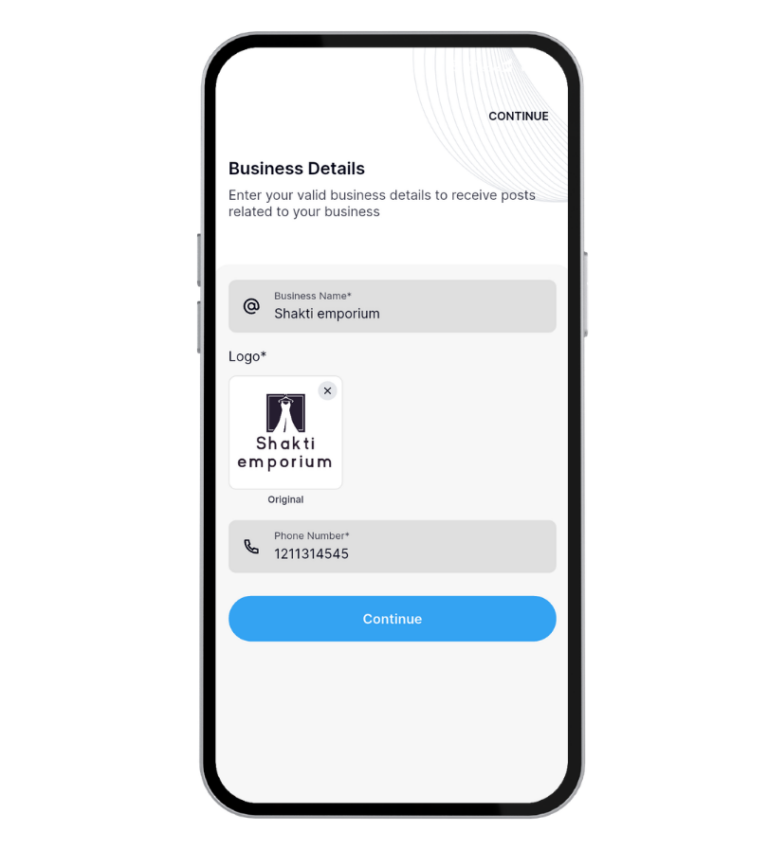
The first time you open Brands.live, you are asked to sign up and add your business details. This is the most important step — and it only takes 60 seconds.
Here is what to fill in:
- Business name— This appears on every poster you download
- Business logo — Upload from your phone gallery or just create new one. (even a WhatsApp-saved logo works)
- Mobile number and address— Used on digital visiting cards and business frames
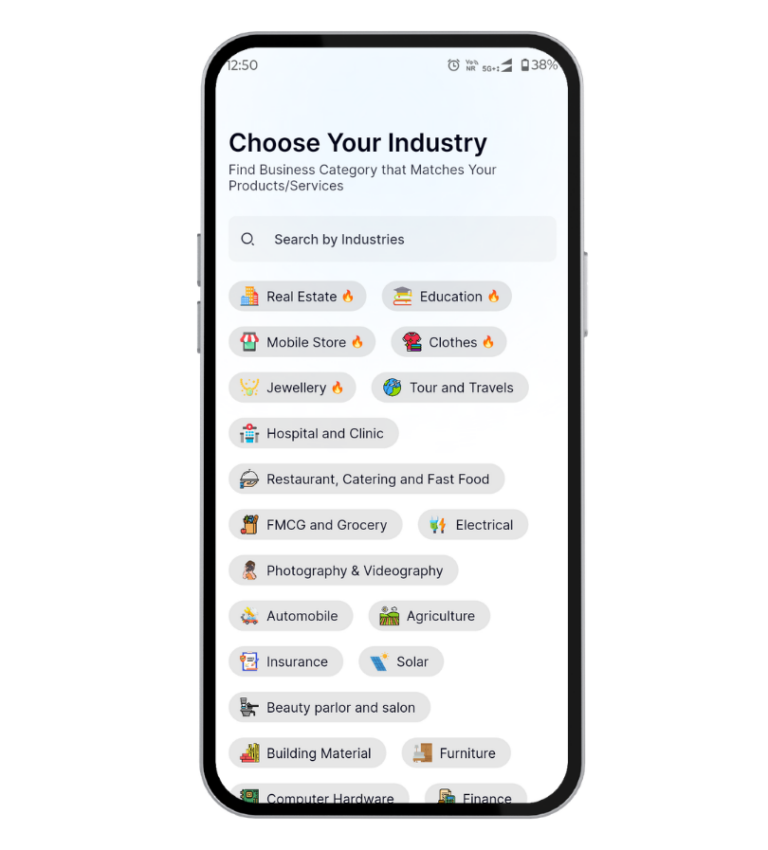
- Business category — Choose from 900+ options: Jewellery, Real Estate, Clothing, Grocery, Automobile, and more
Once you set this up, Brands.live automatically places your logo, name, and contact details on every template you pick. You never have to type the same information twice.
> Why this matters for your business: According to a 2023 report by Meta India, 70% of small businesses using branded social media content see higher customer trust than those using generic images. Your logo on every post is your digital identity.
📌 Key Takeaway: Spend 60 seconds on your business profile setup and Brands.live will auto-brand every single design you create going forward.
Step 2: Pick a Festival Post or Business Template
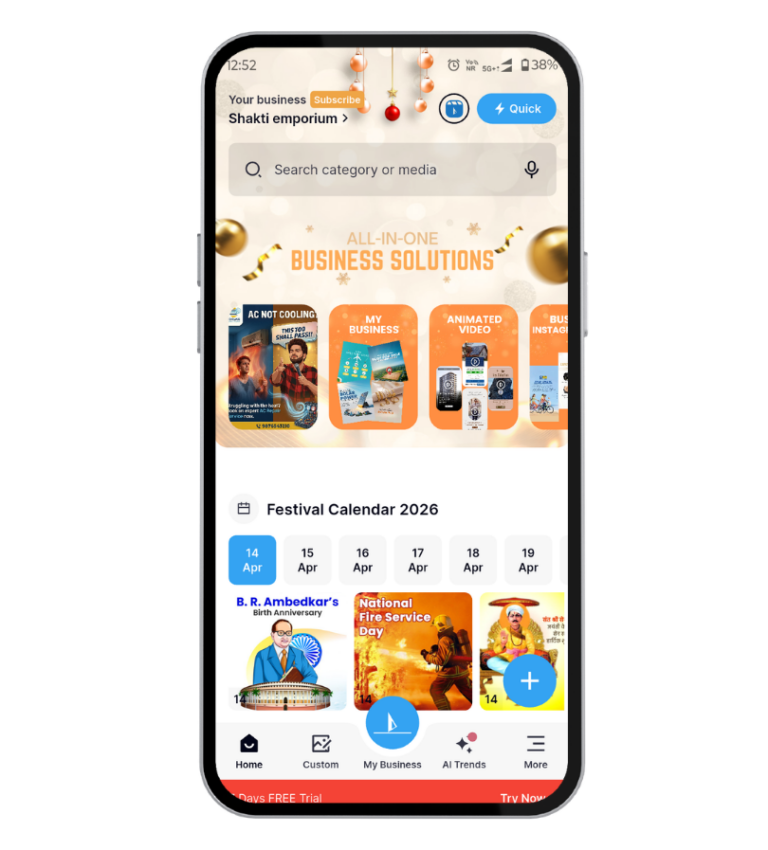
After your profile is set up, you land on the home feed. This is where Brands.live does the heavy lifting for you.
What you see on the home screen
🌟 Today’s festival posts — If it is a national holiday or major occasion, the templates for that day appear at the top automatically. You do not need to search.
🌟 Business category posts — Scroll down to see posts specific to your industry. A jeweller will see gold rate update templates. A restaurant owner will see menu and offer templates.
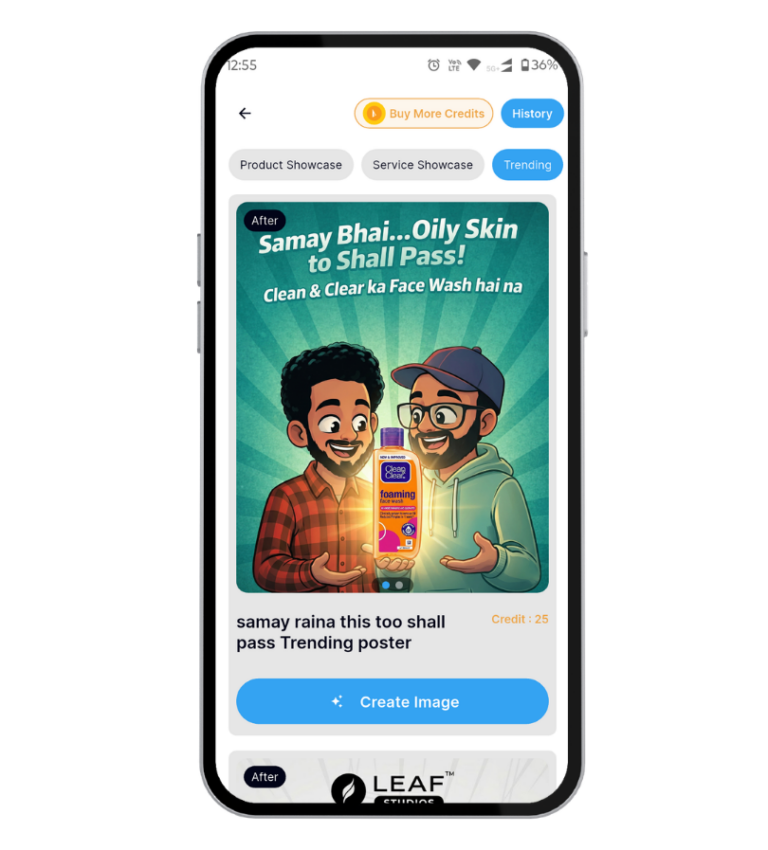
Trending designs — High-engagement templates based on what other businesses in your category are using.
How to find a specific template
If you are looking for something specific — say, a Republic Day banner or a “New Arrivals” post — use the search bar at the top. Type “New Arrival”, “Diwali Offer“, or “Happy Birthday” and browse the results.
For example, a clothing shop owner looking to announce new stock can search “New Arrivals”, pick a template they like, and have a branded, downloadable post ready in under 90 seconds.
📌 Key Takeaway: You never start from a blank canvas on Brands.live. Every template already has a professional layout — you simply replace the placeholder details with your own.
Step 3: Customize Your Design (Fonts, Colors, and Logo Placement)
Once you tap on a template you like, you enter the editor. This is where you personalize the design to match your brand.
What you can edit
- Text — Tap on any text field to change the wording. Useful for adding sale offers, product names, or event dates.
- Background — Swap the background image or color with one tap. Choose from the built-in stock library or upload your own product photo.
- Logo position — Your logo auto-appears based on your profile settings, but you can drag it to a different corner if needed.
- Language — Switch the template text to Hindi, Gujarati, Marathi, Tamil, or 10+ other Indian regional languages with a single tap.
A real use case: A jeweller in Rajkot
A jewellery shop owner wants to share the daily gold rate on WhatsApp. They open Brands.live, tap the Gold Rate template pinned at the top of their feed, update the rate to ₹7,450/gram, and download. Total time: 40 seconds. The post includes their shop name, logo, and contact number — no extra editing needed.
📌 Key Takeaway: The Brands.live editor is tap-and-replace, not drag-and-build. Most users make their first post without touching anything beyond the text.
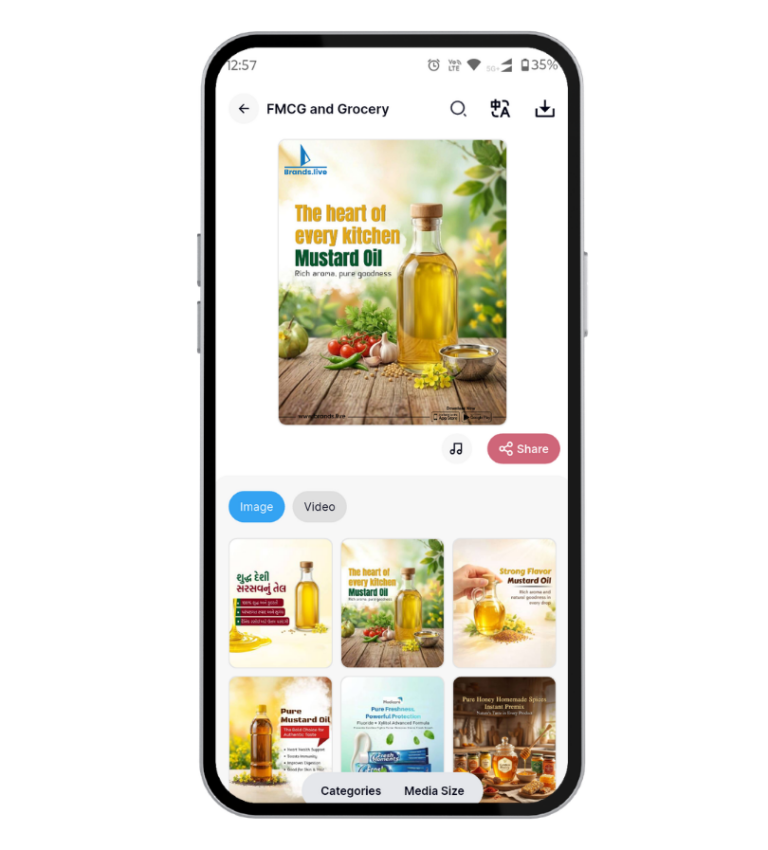
Step 4: Create a Business Video in Minutes
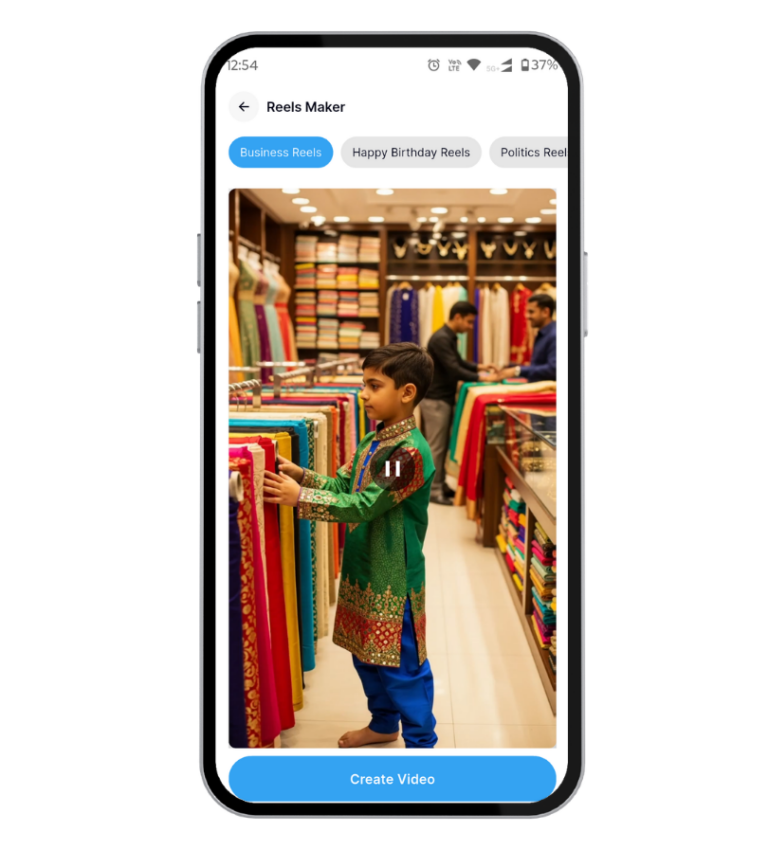
Many beginners do not realize that Brands.live is not just a poster app. It is a full short-video creation tool — and you do not need to shoot any footage.
How to make your first business video
- Go to Reels Maker from the bottom navigation
- Select a video template (product showcase reel, festival greeting, offer announcement reel, business reels.
- Replace the placeholder text with your offer details
- Add your product photos from your phone gallery if needed
- Download the video — it is ready to post on Instagram Reels, WhatsApp Status, or Facebook Stories
Video posts on Indian social media platforms get 3x more reach than static images, according to data from Instagram India. A 15-second video announcing a Navratri sale takes the same effort as making a poster — but performs significantly better.
📌 Key Takeaway: If you are only using Brands.live for posters, you are leaving the most shareable format unused. Try one video template this week.
Step 5: Download and Share Directly to WhatsApp or Instagram
Once your design is ready, tap the Download button at the top right of the editor.
Download options
- Image (PNG/JPG) — Best for WhatsApp Status, Instagram feed, and Facebook posts
- Video (MP4) — Best for Reels, Stories, and WhatsApp Status
High Resolution — Available on paid plans for print use (banners, flex, etc.)
Sharing tips for small businesses
WhatsApp Broadcast : Download your festival post and send it to your customer broadcast list. A consistent daily festival post keeps your business name visible in customers’ chats.
Instagram Stories : Brands.live outputs designs in Story-ready dimensions (9:16). No cropping needed.
Facebook Business Page : Download and post directly, or use Brands.live built-in social scheduling feature (available on premium plans) to auto-post at peak engagement hours.
📌 Key Takeaway: Your Brands.live post is already sized correctly for every major platform. Download once, share everywhere.
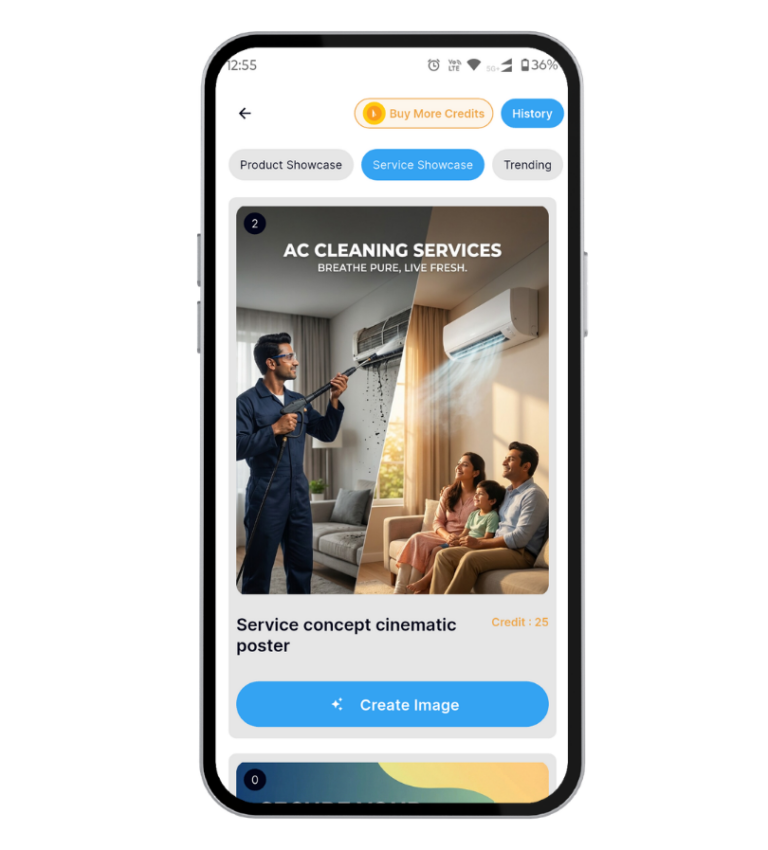
Step 6: Explore the AI TrendsFeature for AI-Powered Designs
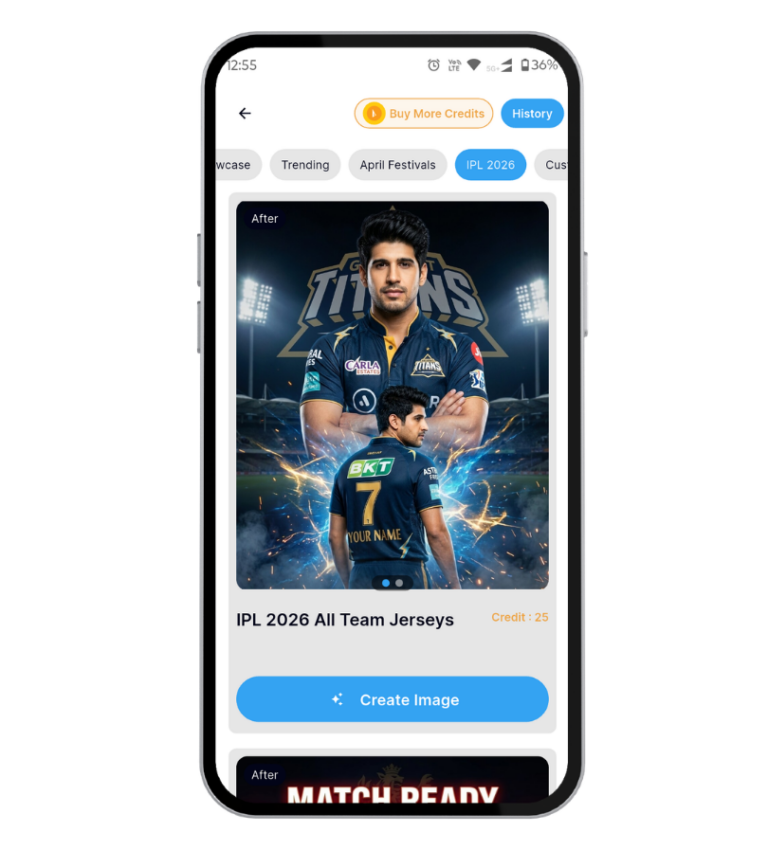
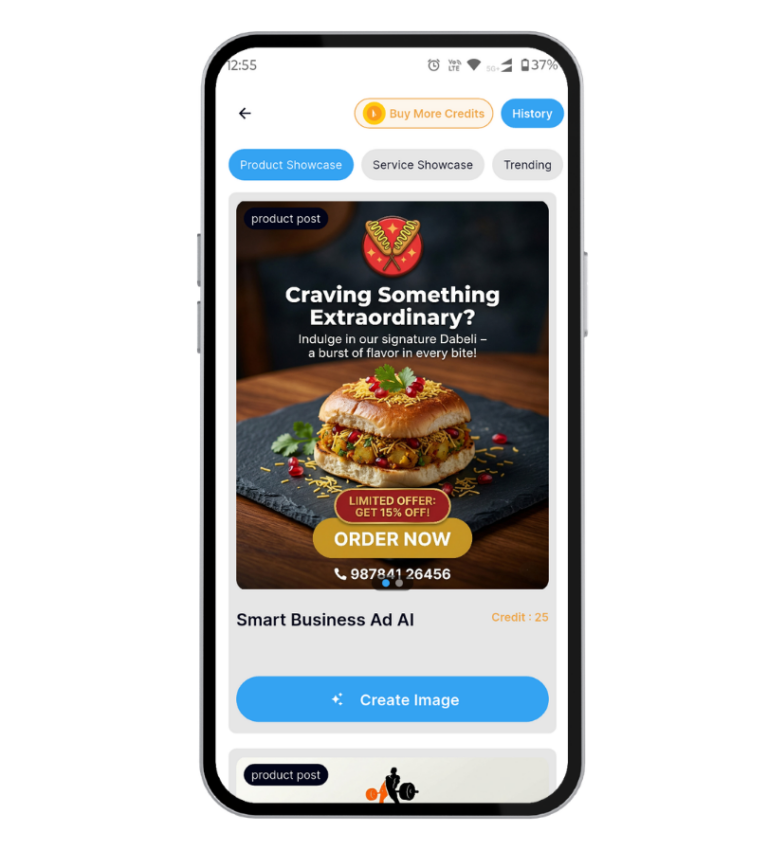
Once you are comfortable with the basic workflow, the next step is AI Trends — Brands.live’s built-in AI tool that generates custom poster designs from a text description.
How AI Trends works
Type a prompt like: “Create a Diwali offer poster for my electronics shop with a golden background” and AI Trends generates a custom design in seconds. You can then add your logo, edit the text, and download.
Upload Product Photo : Upload your raw product photo — and our AI turns it into a ready-to-post marketing image in seconds. No prompts to learn. No software to install. Just stunning, business-ready visuals for your mobile shop, social media, WhatsApp, and Instagram.
This is particularly useful when you want something unique for a product launch or a special offer that does not fit any existing template.
Who should use AI Trends
- Businesses launching new products who want a fresh look
- Social media managers handling multiple brand accounts
- Anyone who wants to stand out from the standard template designs
📌 Key Takeaway: AI Trends takes Brands.live beyond templates. Use it when you want a design that is entirely yours — not one that a competitor’s shop might also be using.
How Brands.live Makes This Easy
Most design apps are built for graphic designers. Brands.live is built for business owners who have 90 seconds between customers.
The entire workflow described above — account setup, template selection, customization, download, and sharing — can genuinely be completed in under 6 minutes on your first use. After the second or third post, most users complete the process in under 2 minutes.
Here is what makes Brands.live different from generic design tools for Indian small businesses:
- Pre-set Indian festival calendar — Templates appear automatically on the right day, no searching required
- 900+ business categories — Your industry’s templates are already sorted for you
- Regional language support — Create posts in Hindi, Gujarati, Marathi, and more without any setup
- Auto-branding — Your logo and contact details appear on every design from day one
- Video + poster in one app — No need to juggle multiple tools
Frequently Asked Questions
Yes. Brands.live offers a free plan that allows you to download posters and videos with your business branding. Premium plans (starting at ₹1,999/year) unlock higher resolution downloads, unlimited access to all templates, and the social media scheduling feature.
No design experience is required. All templates are professionally designed and ready to use. You only need to replace the text and confirm your logo is correct. Most users create their first post within 2 minutes of signing up.
Yes. In the editor, tap the image placeholder and choose “Upload from Gallery” to replace it with your own product photo. This works for both poster and video templates.
Inside the editor, look for the Language option in the text settings. Tap it and select your preferred Indian regional language. The template text switches instantly.
Yes. Brands.live creates designs in dimensions optimized for WhatsApp Status (9:16), Instagram Feed (1:1 and 4:5), and Reels (9:16). Download in the format you need and share directly from your gallery.
Conclusion
Getting started with Brands.live really does take under 6 minutes. Set up your business profile once, and the app handles the branding on every design you ever create. Pick a template from your daily festival feed, swap in your details, download, and share — that is the entire workflow.
For Indian small businesses competing for customer attention on WhatsApp, Instagram, and Facebook, consistent visual content is no longer optional. Brands.live removes every barrier between you and a professional-looking daily post: no design skills, no expensive tools, no wasted time.
Download Unlimited Festival Posts, Videos, WhatsApp Stickers & Many More
Download Brands.live today, complete your business profile, and create your first branded post in the next 6 minutes. Your customers are already scrolling — make sure they see your name.